Introduction
Every creative project starts with an idea. But ideas need more than words to inspire others. They need visuals that capture the vision clearly. That is where 3d rendering design shines.
From product concepts to architectural plans, rendering makes it possible to see the final result before it exists. In this guide, we’ll break down the art and process behind creating those visuals.
What is 3D Rendering Design?
3d rendering design is the process of turning a 3D model into a realistic or stylized image. It uses lighting, textures, and camera angles to make the scene look complete.
Designers use it in many industries — from film and games to architecture and product design. It allows clients and teams to preview the final look early in the project.
Why 3D Rendering Design Matters
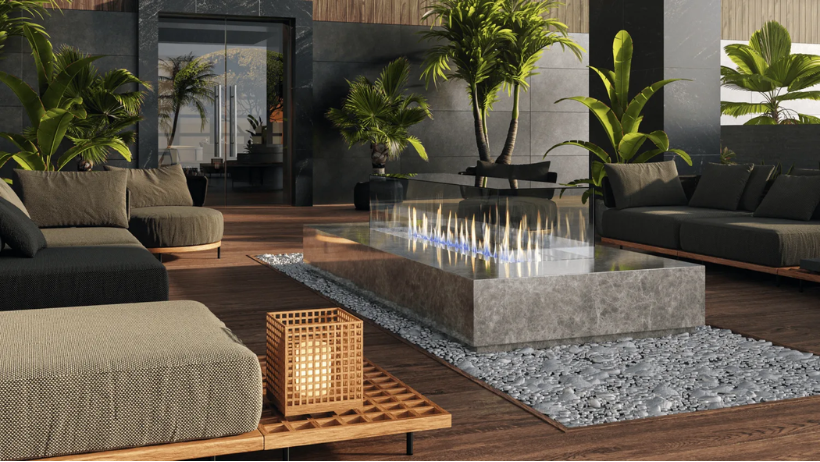
In a world where visuals drive decisions, 3d rendering design offers a huge advantage.
- Clear Communication: Clients can see exactly what they’re getting.
- Fewer Mistakes: Problems can be spotted and fixed before production.
- Better Marketing: Rendered visuals can be used for ads and promotions.
This makes rendering not just a creative tool, but also a business tool.
The Steps of 3D Rendering Design
Let’s walk through the typical workflow from idea to final render.
1. Concept Development
Every 3d rendering design starts with a concept. This could be a sketch, mood board, or written brief. The goal is to define the style, mood, and purpose of the project.
2. 3D Modeling
The next step is building a digital model. Using software like Blender, Maya, or 3ds Max, designers create the shapes and structures of the scene.
Accuracy here is important — it’s the foundation for the final render.
3. Texturing and Materials
Textures add surface detail like wood grain, fabric patterns, or metal shine. Materials play a huge role in realism.
Even a perfect model will look flat without good textures.
4. Lighting Setup
Lighting can make or break a render. Artists use key lights, fill lights, and background lights to create mood and depth.
Realistic shadows and reflections help the scene feel believable.
5. Camera Framing
Like in photography, camera placement matters. Angles, focal length, and depth of field guide the viewer’s eye to the right details.
6. Rendering
This is the moment the computer turns the 3D scene into a final image. Rendering can take minutes or hours depending on complexity and resolution.
7. Post-Processing
After rendering, the image often goes into software like Photoshop for color correction, sharpening, and effects.
This final polish makes the render stand out.
Styles of 3D Rendering Design
There are different styles to suit different needs.
- Photorealistic Rendering: Looks almost like a real photograph.
- Stylized Rendering: Uses artistic effects for a unique look.
- Real-Time Rendering: Instant previews for interactive media like games.
Choosing the right style depends on the project’s purpose.
Industries That Rely on 3D Rendering Design
The reach of 3d rendering design is wide.
- Architecture: Preview buildings before construction.
- Product Design: Show prototypes without manufacturing them.
- Film and Animation: Create immersive worlds.
- Advertising: Present concepts in a polished way.
In all these industries, rendering speeds up decisions and boosts creativity.
Tips for Better 3D Rendering Design
Even with powerful tools, good results depend on skill and planning.
- Use Real-World References: This keeps proportions and lighting realistic.
- Keep the Scene Organized: Clean file management saves time.
- Test Lighting Early: Don’t wait until the end to adjust lights.
- Balance Quality and Speed: Not every render needs maximum settings.
- Learn from Other Artists: Study different styles and workflows.
Tools and Software for 3D Rendering Design
A few top tools dominate the industry.
- Blender: Free and feature-rich.
- Autodesk Maya: Popular for animation and film.
- 3ds Max: Strong for architecture and product work.
- Cinema 4D: Great for motion graphics.
Choosing the right tool depends on your goals and budget.
Challenges in 3D Rendering Design
While powerful, rendering has its hurdles.
- Long Render Times: High-quality images take processing power.
- Hardware Limits: Not all computers can handle heavy scenes.
- Steep Learning Curve: Mastering tools takes time.
This is why some artists turn to cloud rendering to speed things up.
>>> Read more: Best Remote 3D Rendering Farm to Boost Your Workflow
When to Use Cloud Rendering
Large projects with tight deadlines can overwhelm even strong local setups. Cloud rendering lets you send your scene to remote servers with high-end GPUs.
Services like 3S Cloud Render Farm give you access to massive computing power without buying expensive hardware. You upload your files, render in the cloud, and download the results — saving time and stress.
Final Thoughts
From the first sketch to the final image, 3d design bridges the gap between vision and reality. It’s both an art and a technical process, bringing ideas to life in ways that inspire and inform.
And when your computer isn’t enough, cloud services like 3S Cloud Render Farm ensure you can deliver stunning renders on time, every time.